
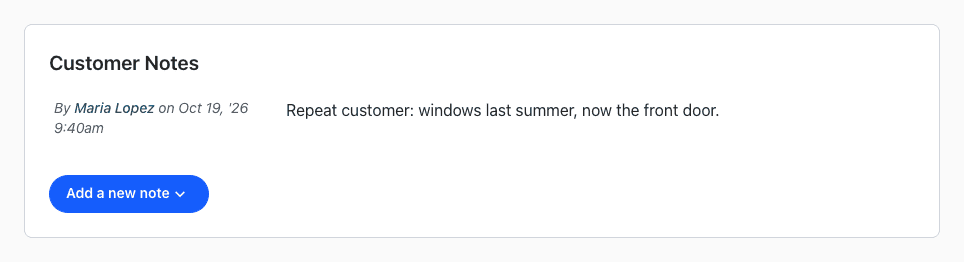
Customer notes are about the person and stay with them for every job, like a gate code or the best time to call. Order notes are about one job, like what was quoted or what happened on site.
Which One to Use
| Note | Use it for | Where it shows |
|---|---|---|
| Customer note | Anything true for all of the customer's orders: access, pets, how they like to be contacted. | The customer's page. |
| Order note | The details and progress of one job. | The order's Notes tab. The newest one also shows as Latest Note on the order and under Latest Order Notes on the dashboard. |
Add a Customer Note
- Open the customer.
- Under Customer Notes, click Add a new note.
- Type the note and click Submit.
You can also add one in Customer Notes when you add a new customer.
Add an Order Note
- Open the order and click the Notes tab.
- Click Add a new note.
- Type the note and click Add note.
Both kinds of notes show who wrote them and when, and a customer or an order can have as many notes as you need.