
Get around the app without the mouse using keyboard shortcuts, spend less time waiting on pages, and land back where you were after you log in.
Keyboard Shortcuts
Press ? on any page to see the shortcuts that work there. You can also open the list from your profile menu (Keyboard shortcuts) or the Shortcuts link at the bottom of every page.
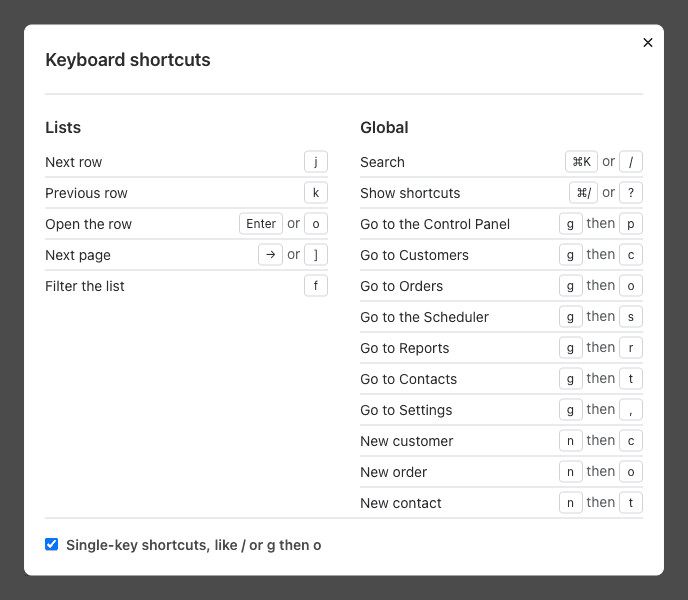
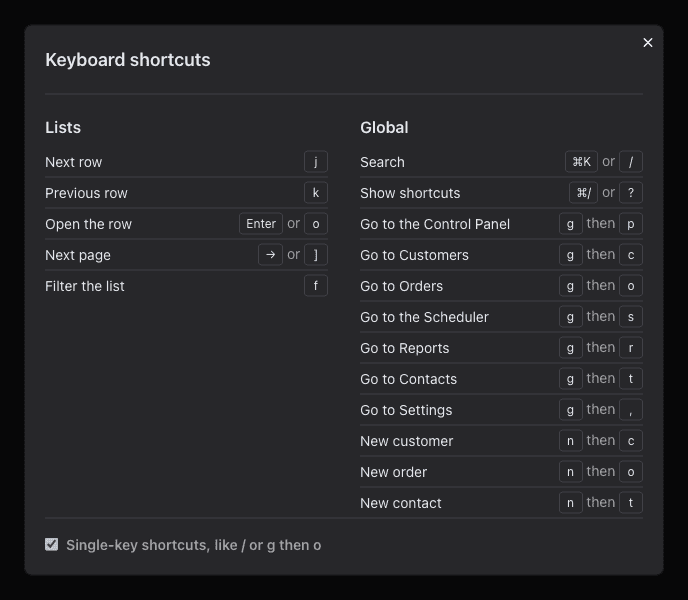
A few to try:
- ⌘ K or /: search for a customer or order.
- g then o: go to Orders (c Customers, s Scheduler, r Reports).
- n then o: start a new order (c customer, t contact).
- j / k to move through a list, Enter to open the row.
- 1 to 9 on an order: open its tabs. p adds a payment, n then n a note.
- ⌘ Enter or ⌘ S: save the form you're typing in.
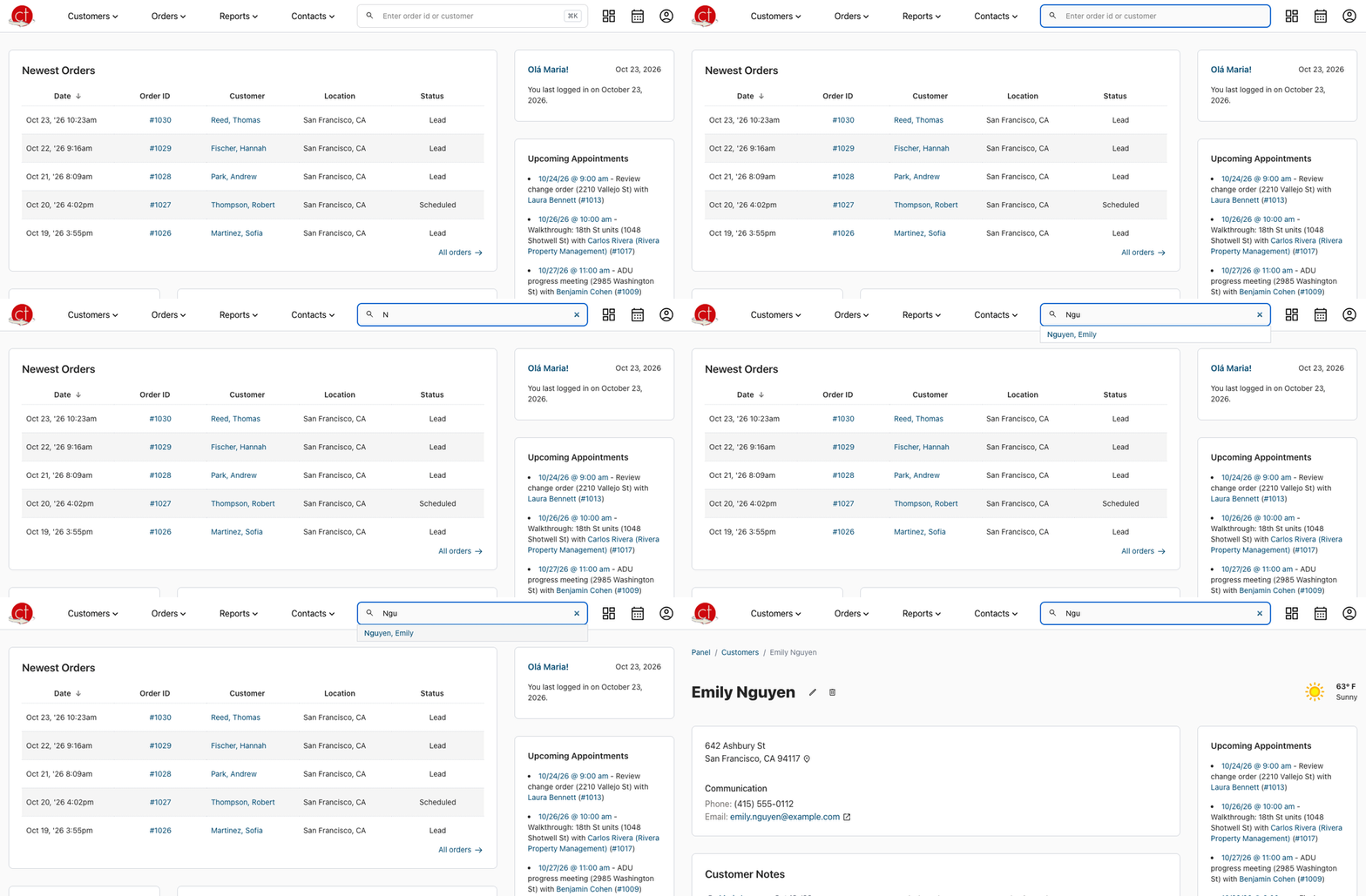
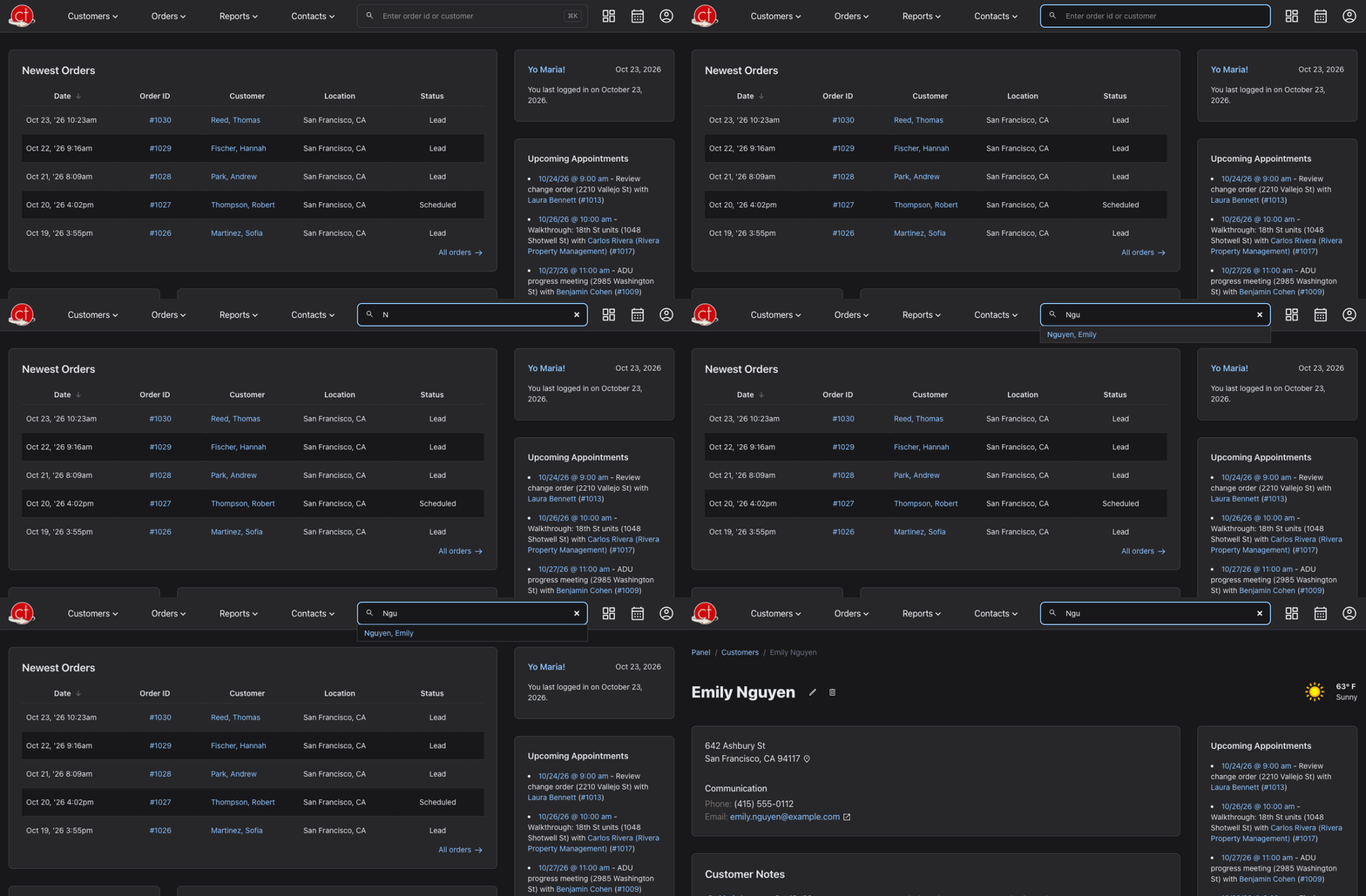
Single-key shortcuts never fire while you type. If you'd rather not use them, uncheck Single-key shortcuts in the shortcuts list; shortcuts with ⌘ or Ctrl keep working.
Faster Pages
Customer pages, order lists and reports open faster. The local weather on a customer page now loads after the page, so you never wait for it.
Back to Where You Were
If you open a link while logged out, you go straight to that page after you log in, instead of the Control Panel.
Fixes
- Phone number fields move to the next box when you reach them with the keyboard.
Have a question or feedback about these changes? Send us a note.